
I spent three hours last Tuesday squinting at a spreadsheet, feeling that familiar, dull throb behind my temples, before I realized I was actually just fighting against a desk setup that was fundamentally broken. I’ve seen enough marketing for $150 “blue-light blocking” glasses to know they’re mostly just expensive window tinting for your face. If you’re looking for a magic gadget to solve your problems, you’re in the wrong place; figuring out how to reduce eye strain from screens isn’t about buying more gear, it’s about fixing the environment you’re already working in.
I’m not here to sell you a subscription or a lifestyle hack that falls apart after a week. My goal is to give you a few practical, low-cost adjustments to your lighting, your posture, and your workflow that actually hold up when the workday gets heavy. We’re going to strip away the nonsense and focus on the mechanical shifts that will stop your eyes from feeling like they’ve been rubbed with sandpaper by 3:00 PM.
Ignoring Gimmicks to Master Your Ergonomic Workstation Setup
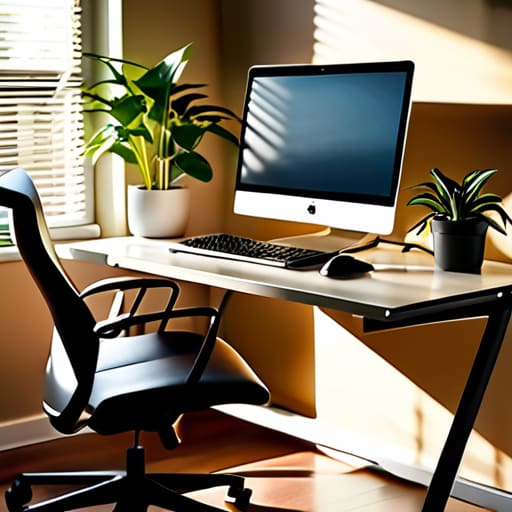
I’ve seen enough marketing budgets poured into “revolutionary” eye care gadgets to know that most of them are just expensive distractions. You don’t need a $100 pair of blue light blocking glasses to fix a fundamental design flaw in your workspace. Most of the time, the solution is much more mechanical. Start with an ergonomic workstation setup that actually respects your biology. If your monitor is too high, too low, or positioned in a way that forces you to crane your neck, you’re setting yourself up for a headache before lunch.
Instead of looking for a magic pill, focus on the fundamentals of light and distance. Stop relying on “night mode” software to do the heavy lifting and try adjusting screen brightness and contrast so they actually match the ambient light in your room. If your screen is a glowing lightbox in a dim room, you’re fighting a losing battle. It’s about creating a balanced environment where your eyes aren’t constantly struggling to compensate for glare or harsh shifts in intensity. Keep it simple; if it doesn’t improve your actual focus, it’s just more noise.
Solving Computer Vision Syndrome Symptoms With Proven Habits
Once you’ve got the physical desk layout sorted, you have to address the actual behavior of your eyes. Most people wait until they have a pounding headache to realize something is wrong, but by then, you’re already dealing with the full brunt of computer vision syndrome symptoms. The most effective fix isn’t a gadget; it’s a rhythm. I swear by the 20-20-20 rule for eye health: every twenty minutes, look at something twenty feet away for at least twenty seconds. It sounds simple—almost too simple—but it forces your eye muscles to reset rather than staying locked in a permanent, strained stare.
I also suggest paying closer attention to how often you actually blink. When I’m deep in a complex systems audit or tinkering with a circuit board, I tend to forget, which is a fast track to preventing dry eyes from computer use being a non-issue. If your eyes feel like they’ve been rubbed with sandpaper by 3:00 PM, you aren’t failing; you’re just not lubricating the hardware. Keep a bottle of preservative-free artificial tears on your desk and make a conscious effort to blink more frequently. It’s not high-tech, but it’s functional maintenance for your most important sensory tool.
Three Low-Tech Fixes That Actually Work
- Stop buying those overpriced blue-light blocking glasses. Most of them are just marketing fluff. If you want to actually help your eyes, adjust the “Night Light” or “Warmth” settings directly in your OS. It’s free, it’s built-in, and it does exactly what you need it to do without the gimmick.
- Use the 20-20-20 rule like it’s a standard operating procedure. Every twenty minutes, look at something twenty feet away for twenty seconds. It sounds simple—almost too simple—but it’s the most effective way to reset your eye muscles so they don’t feel like they’re being pulled by a tension wire by 4:00 PM.
- Fix your lighting before you blame your monitor. If you’re working in a dark room with a bright screen, you’re setting yourself up for a headache. Get some decent ambient light in the room so the contrast between your desk and the wall isn’t so jarring. It’s about balance, not brightness.
The Bottom Line for Your Eyes
Stop looking for a magic product to fix your vision; focus on the fundamentals of lighting, distance, and taking actual breaks from the screen.
Treat your workspace like any other piece of machinery—it requires regular, simple maintenance to prevent a total breakdown.
Cutting Through the Static
At the end of the day, reducing eye strain isn’t about buying the newest gadget or some overpriced wellness subscription. It’s about the fundamentals: fixing your monitor height, mastering the 20-20-20 rule, and actually respecting your physical limits when the workday starts to bleed into your evening. You don’t need a high-tech solution to solve a problem that usually stems from poor habits. If you get the workstation ergonomics right and commit to those small, consistent breaks, you’ll find that the constant headache and blurred vision start to fade into the background. It’s about building a system that works for your body, not fighting against it.
We live in a world that wants us to stay plugged in 24/7, but your biology hasn’t changed much since the industrial age. Don’t let the digital noise dictate your physical well-being. Focus on the practical, boring stuff that actually yields results, and you’ll build a workflow that is sustainable for the long haul. Keep your tools sharp, your workspace organized, and your eyes off the screen when the job is done.
