
I was hunched over my workbench last Tuesday, trying to move a handful of high-res audio samples from my laptop to an old analog synth interface, when I realized I was staring at a “subscription required” pop-up for yet another cloud service. It’s infuriating. We’ve been sold this idea that everything needs to live in a digital ether, but most of the time, you just want to know how to transfer files between devices without paying a monthly fee or handing your privacy over to a server farm. The tech industry loves to build complex, expensive walls around simple tasks, turning a basic necessity into a constant productivity drain.
I’m not here to pitch you a shiny new ecosystem or a suite of apps that will be obsolete by next year. My goal is to give you the straight talk on the tools that actually hold up under pressure—whether that’s a physical cable, a local network share, or a reliable external drive. I’ve spent enough time troubleshooting broken workflows to know that the best solution is usually the one with the fewest moving parts. Let’s cut through the marketing noise and get your data moving the way it should.
Reliable Usb Cable File Transfer for Heavy Duty Work
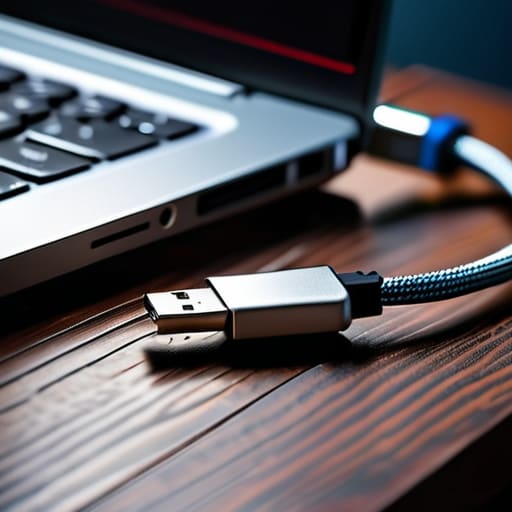
If you’re dealing with massive video files or a massive backup of your photo library, stop looking for a shortcut. I’ve spent enough time troubleshooting “seamless” wireless connections to know that when the stakes are high, you want physical copper. USB cable file transfer is still the gold standard for a reason: it’s predictable, it doesn’t rely on your router’s stability, and it doesn’t throttle your speed halfway through the job. If you want the fastest way to move large files without watching a progress bar crawl for three hours, plug in and go.
The trick here is using the right hardware. Don’t reach for that cheap, frayed cable you found in a junk drawer; it’ll bottleneck your transfer speeds or drop the connection entirely. If you’re working between a laptop and a mobile device, make sure you’re using a high-speed data cable rated for the task. It might feel a bit old-school compared to all the fancy wireless file sharing methods people rave about, but when you have ten gigabytes of data to move, reliability beats convenience every single time.
The Truth About Wireless File Sharing Methods and Cloud Sync
Now, if you aren’t moving massive video files or entire backup drives, you probably don’t want to be tethered to a wall. This is where most people turn to wireless file sharing methods, and for a lot of daily tasks, they work fine. The problem is that “convenience” often comes with a hidden tax on your time and your patience. I’ve spent enough time troubleshooting broken syncs to know that relying solely on cloud storage synchronization is a gamble. It’s great until you realize you’re stuck in a bottleneck because your upload speed is crawling or the service decided to hang mid-transfer.
If you’re trying to bridge the gap between different ecosystems—say, transferring data between Android and iPhone—the friction is real. You can use cross-platform file sharing tools like WeTransfer or even just email a document, but it’s rarely the fastest way to move large files without some level of frustration. My rule of thumb? Use the cloud for small documents and quick updates that need to live everywhere, but if you’re dealing with something substantial, don’t trust the airwaves alone. Stick to the physical connection whenever the stakes are high.
Three Rules to Keep Your Data from Getting Messy
- Audit your file types before you start moving. Don’t waste time trying to sync a 50GB video folder over a shaky Wi-Fi connection when a physical SSD would finish the job in minutes. Know what you’re moving so you can pick the right tool for the weight.
- Stop relying on “set it and forget it” cloud syncing for everything. It’s great for a Word doc, but if you’re working on a project that requires precision, manual transfers ensure you know exactly which version is the “source of truth” and prevent accidental deletions.
- Keep a physical backup of your most critical transfers. Whether it’s an external drive or a dedicated thumb drive, if the data is important enough to move across devices, it’s important enough to have sitting in a drawer in case the network goes down or the cloud service decides to have an outage.
The Bottom Line
Match the method to the job; use a physical cable when you’re moving massive files or working under a deadline, and save the cloud for the small, everyday stuff that needs to sync in the background.
Don’t get blinded by “seamless” marketing—if a wireless transfer is failing or lagging, stop troubleshooting and just plug in a cable. Reliability always beats convenience when the stakes are high.
Finding Your Own Workflow
At the end of the day, there isn’t a single “perfect” way to move your data; there is only the method that works for your specific task. If you’re moving massive video files or a lifetime of high-res photos, don’t waste your time fighting with a weak Wi-Fi signal—just grab a high-quality USB cable and get it done. If you’re just swapping a quick PDF or a single document, the convenience of the cloud or a quick wireless handshake is more than enough. The goal isn’t to use the most advanced tech available, but to choose the tool that minimizes friction in your daily routine.
Technology should serve you, not the other way around. We spend far too much time chasing the newest, flashiest features that often just add more layers of complexity to a simple problem. My advice? Build a system that is reliable and predictable. Once you have your preferred methods dialed in, you can stop worrying about the “how” and get back to the actual work that matters. Keep your tools sharp, your connections stable, and stay focused on the output.
