

I spent a good chunk of my career sitting in windowless corporate conference rooms, so I know exactly what it’s like to feel like you’re broadcasting from a basement dungeon. Lately, I’ve seen people spending hundreds of dollars on professional-grade ring lights and high-end webcams just to fix a bad image, and frankly, it’s a waste of good money. Most of the advice you find online about how to look better on video calls is just noise designed to sell you more gear you don’t actually need.
I’m not here to sell you a studio setup or a digital makeover. My goal is to show you how to use the environment you already have to create a clean, professional presence that doesn’t feel forced. We’re going to focus on the functional basics—lighting, angles, and a bit of spatial awareness—so you can stop worrying about your reflection and get back to the work that actually matters.
A Professional Webcam Lighting Setup That Actually Works
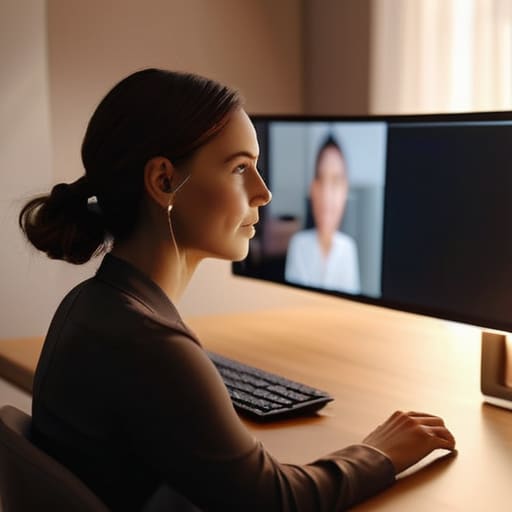
Look, you don’t need a studio-grade softbox or a Hollywood lighting rig to stop looking like a grainy shadow in a dark room. Most people make the mistake of having a bright window behind them, which turns them into a silhouette. Instead, aim for a professional webcam lighting setup that relies on simple, directional light. If you have a window, face it. If you don’t, grab a basic desk lamp, remove the shade if it’s too harsh, and position it slightly above your eye line. This mimics natural overhead light and prevents that unflattering “flashlight under the chin” look.
Once you’ve sorted the light, you have to deal with the geometry of your workspace. It’s not just about the gear; it’s about the best camera angles for video conferencing. If your laptop is sitting on your desk, you’re essentially giving everyone a view up your nostrils. Prop that thing up on a stack of old technical manuals or a sturdy book until the lens is at eye level. It feels a bit unnatural at first, but it changes the entire dynamic from a “looking down at you” perspective to an actual, professional conversation.
Mastering Best Camera Angles for Video Conferencing
Most people default to having their laptop sitting on the desk, which means everyone is looking up your nose. It’s a bad look—literally. You end up with a “double chin” effect that no amount of lighting can fix. To get the best camera angles for video conferencing, you need to bring that lens up to eye level. If you’re on a laptop, grab a stack of heavy books or a dedicated riser. You want the camera to meet your gaze, not look up at it, which creates a much more natural, balanced sense of connection.
Once you’ve nailed the height, don’t forget the depth. Stop leaning directly against a flat wall like you’re being interrogated. If you can, pull your desk a few feet away from the background. This simple shift helps in minimizing background distractions and gives the image a sense of dimension. It’s a small adjustment, but it makes your setup feel intentional rather than accidental.
The Final Polish: Small Fixes for a Cleaner Image
- Clean your lens. It sounds trivial, but most of us spend all day staring at a greasy smudge on our laptop camera without realizing it. Take a microfiber cloth—or even a clean cotton t-shirt if you’re in a pinch—and wipe that lens down. It’ll instantly clear up that hazy, low-contrast look that makes you appear like you’re filming through a veil of steam.
- Fix your background clutter. You don’t need a professional studio or a high-end bookshelf, but you do need to manage the visual noise. If there’s a pile of laundry or a stack of unwashed dishes behind you, your audience is going to notice it more than you think. Keep the area behind you simple and tidy; a neutral wall or a clean corner is better than a distracting mess.
- Watch your audio quality. You can have the best lighting in the world, but if you sound like you’re calling from a tin can in a wind tunnel, the visual quality won’t matter. If you’re using built-in laptop mics, try to minimize background noise or invest in a decent pair of wired headphones with a mic. Clearer sound makes you appear more composed and professional, regardless of your resolution.
The Bottom Line
Stop chasing gear you don’t need; focus on light placement and camera height, because a well-positioned window beats a $200 ring light every single time.
Aim for stability and clarity over perfection—once you’ve fixed your angle and your lighting, stop tweaking the settings and just focus on the conversation.
Cut the Noise and Get to Work
At the end of the day, looking good on screen isn’t about owning the most expensive gear or chasing every new software filter. It comes down to the basics: getting your light source in front of you, positioning your camera at eye level so you aren’t staring down at your chin, and keeping your background from looking like a disaster zone. If you nail those three things, you’ve already done more than most people in the corporate shuffle. It’s about eliminating the distractions so your message actually lands. Focus on the functional fundamentals rather than the expensive fluff.
Don’t let the technical details paralyze you. You don’t need a studio setup to command respect in a meeting; you just need to show up prepared and presentable. Once you have your setup dialed in, stop fiddling with the settings and start focusing on the conversation. A smooth workflow is built on reliable systems, and a solid video presence is just one more tool in your kit to help you navigate a digital world. Now, go get back to it.
